Turning Compartments On/Off
Turn individual compartments on or off from the display
The compartment display boxes are arranged left to right to match the trailer compartments front to back: • C1 — Left display box (first compartment) • C2 — Middle display box (second compartment) • C3 — Right display box (third compartment, blank in a two-compartment configuration)
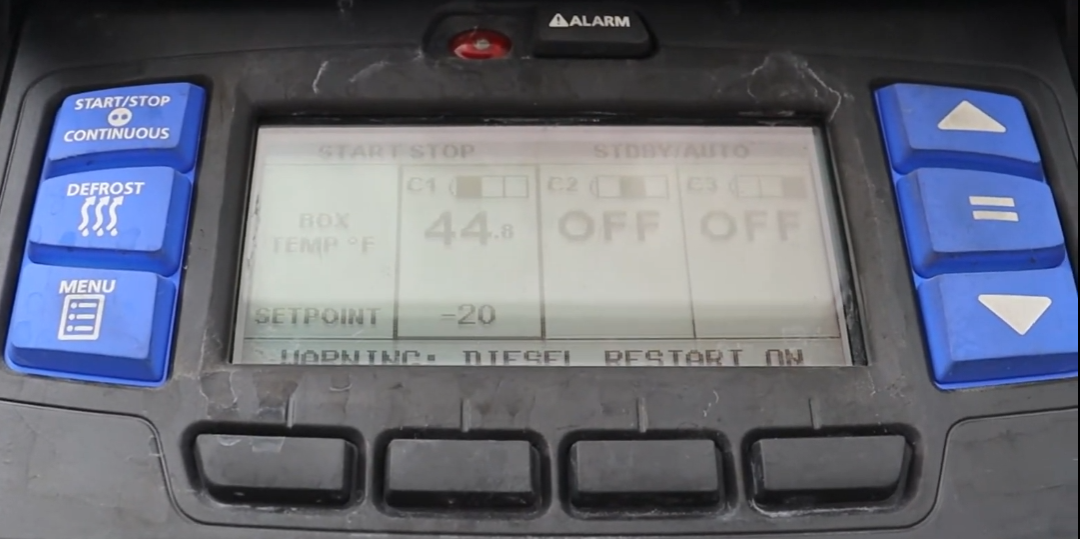
The default display screen uses a highlight box to allow control of individual compartments. The highlight box toggles between each compartment that is currently ON. If only one compartment is ON, the highlight box remains on that compartment.
With the system powered up (START/RUN-OFF switch in the START/RUN position) and the default screen displayed, press the MENU key to open the ON/OFF display.
If a compartment is currently OFF, its corresponding soft key will display ON. If a compartment is currently ON, its corresponding soft key will display OFF.
Press the ON soft key for the compartment you want to turn on.
Press the OFF soft key for the compartment you want to turn off.