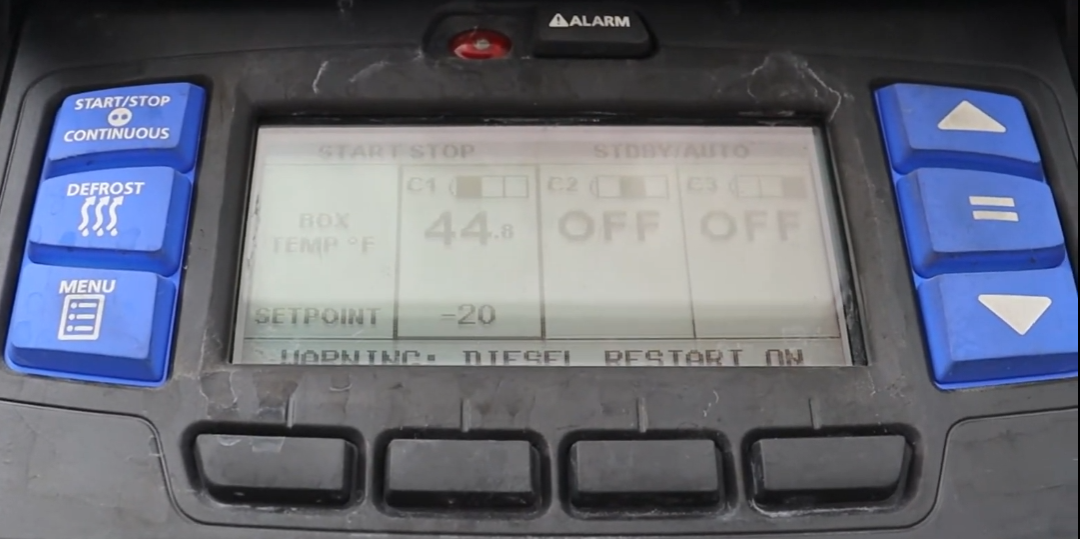
Managing Zones — C1 & C2
Turn compartment zones on and off
This trailer has 2 zones: • C1 (Host Unit) — Front compartment • C2 (Rear Evaporator) — Rear compartment Each zone can be turned on or off independently.
Press the MENU button on the left side of the control panel.
The screen displays "PRESS COMPARTMENT BUTTON TO TURN ON OR OFF"
Below C1 and C2, soft keys show ON or OFF (displaying the opposite of the current state — press ON to turn it on, OFF to turn it off).
Press the ON soft key below the zone you want to activate.
Press the OFF soft key below the zone you want to deactivate.
Wait a few minutes for the system to process the change.
Only compartments that are turned ON will be displayed on the main screen. After toggling a zone, the display will update to show only active zones.